> ## Documentation Index
> Fetch the complete documentation index at: https://docs.operata.com/llms.txt
> Use this file to discover all available pages before exploring further.
# Agent Copilot
> The Agent interface to report issues and to get self-fix CX notifications.
Agent Copilot helps you report issues in a couple of clicks and gives you a heads-up when something's gone wrong that you can fix yourself.
 ***
## Moving Agent Copilot
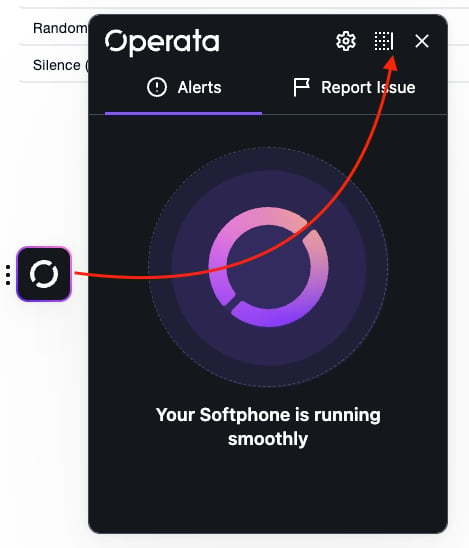
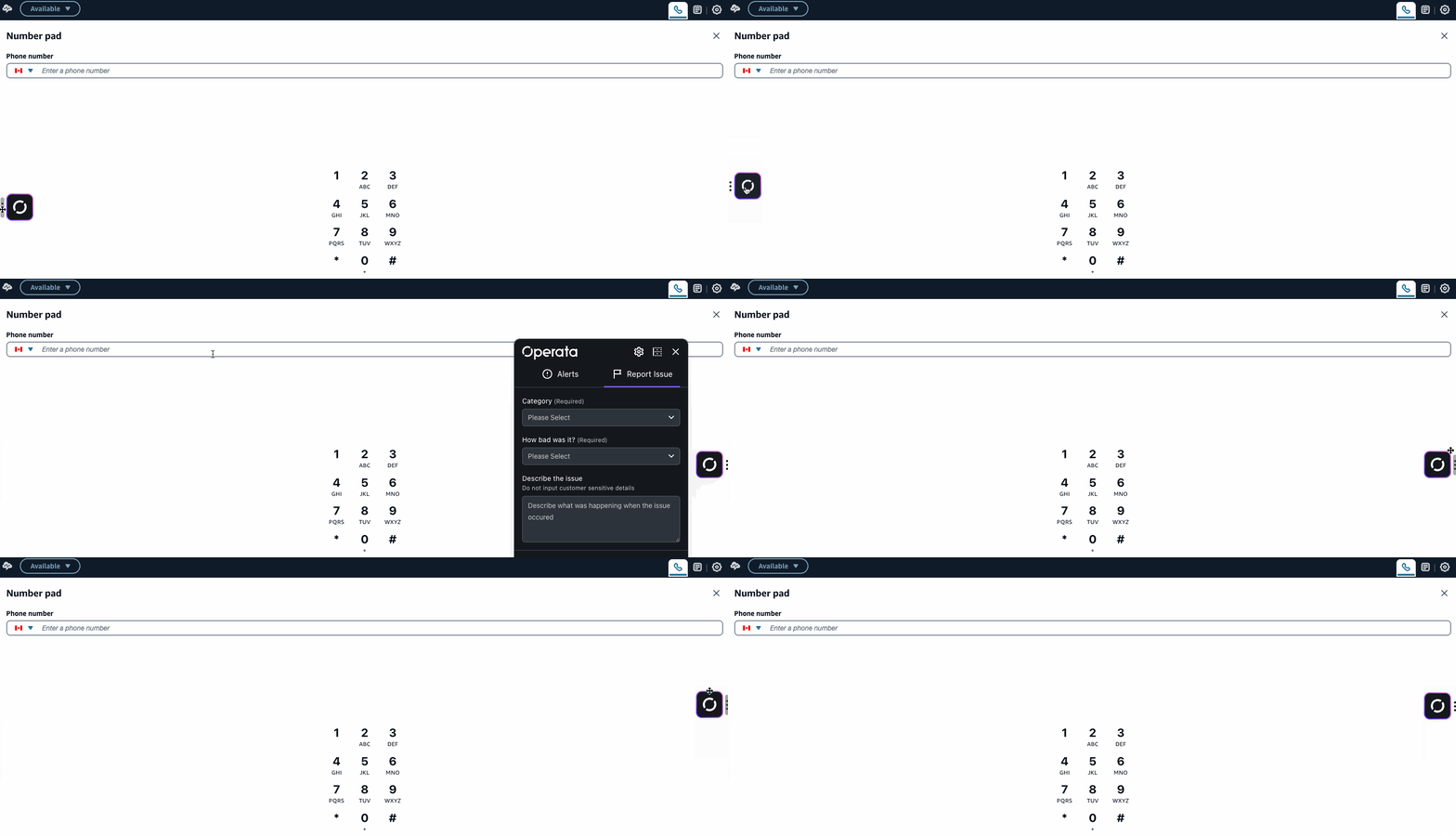
You can move Agent Copilot up, down, left, or right - wherever it sits best for you.
It remembers the spot next time you open your softphone.
#### Move Agent Copilot up and down
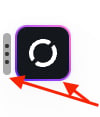
Drag the three dots (or icon edge) to move up or down.
***
## Moving Agent Copilot
You can move Agent Copilot up, down, left, or right - wherever it sits best for you.
It remembers the spot next time you open your softphone.
#### Move Agent Copilot up and down
Drag the three dots (or icon edge) to move up or down.
 #### Move Agent Copilot left and right
Open Agent Copilot and select the solid bar on the top right hand corner to toggle between left and right - select X when done.
#### Move Agent Copilot left and right
Open Agent Copilot and select the solid bar on the top right hand corner to toggle between left and right - select X when done.
 ***
### Report Issue
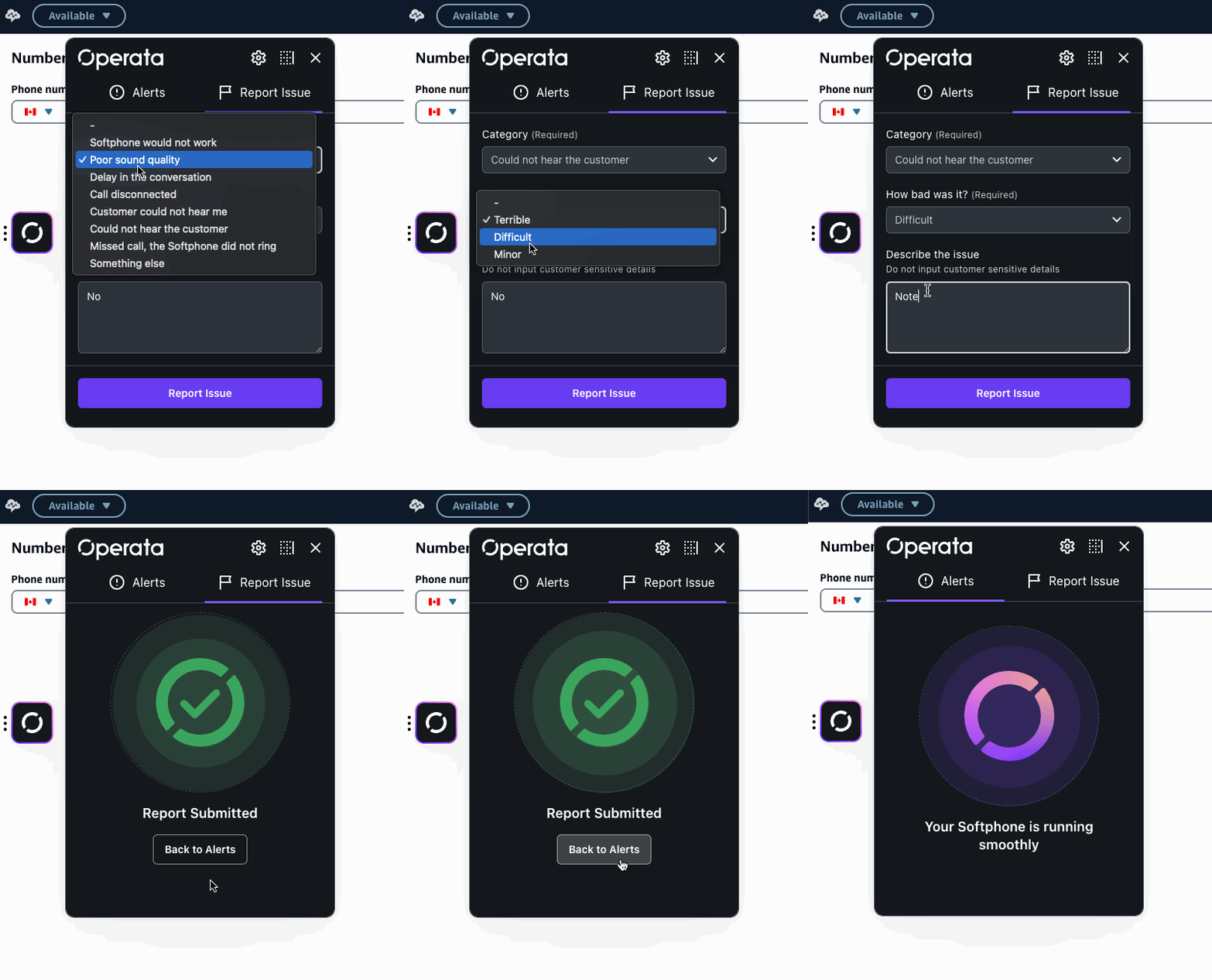
Click the icon to open a quick form where you can pick from a list of common issues, set how serious it is, and add any notes that will help identify the cause.
***
### Report Issue
Click the icon to open a quick form where you can pick from a list of common issues, set how serious it is, and add any notes that will help identify the cause.
 ***
### Technology performance Alerts
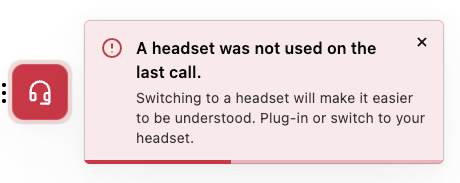
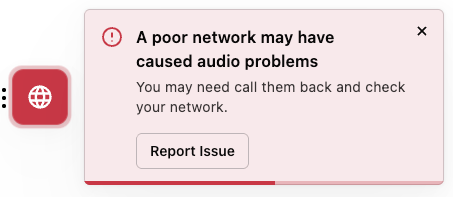
Agent Copilot can give you a heads-up when there's a technology issue that might affect your calls or softphone - things like a flaky network or a headset that's stopped behaving.
Tap **Read more** on any alert and you'll get step-by-step advice for fixing it yourself.
#### What you might be alerted about
**Your connection and computer**
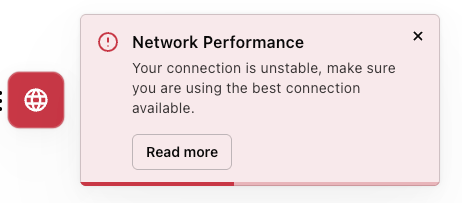
* **Network performance** - your connection quality has dropped far enough to affect call audio.
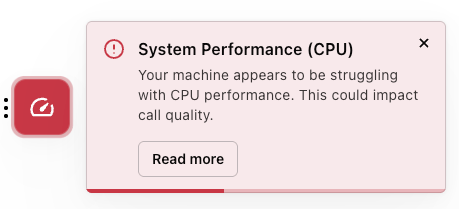
* **Computer performance** - your CPU is under sustained heavy load, which can degrade the softphone.
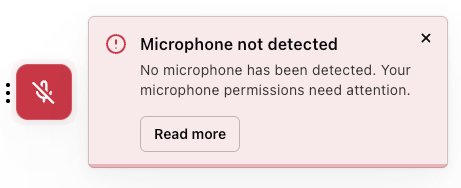
* **Microphone not shared** - your browser doesn't have access to your microphone.
**Your headset**
These alerts need a compatible Jabra headset with the Jabra client software installed. See the [Jabra quick start](/docs/help/jabra-quick-start) if you're not sure whether yours is set up.
* **Not using your Jabra device** - audio is running through a different device than expected.
* **Talking on mute** - you're speaking while muted.
* **Frequent muting** - you've muted several times within a single call.
* **Background noise** - there's excessive noise around you, including cases where you've turned your volume up or muted repeatedly to work around it.
* **Crosstalk** - you and the customer are talking over each other, sometimes caused by high network latency.
* **Audio exposure** - your headset volume has been high enough for long enough to be worth reducing.
* **Battery level** - your headset battery is low, or very low.
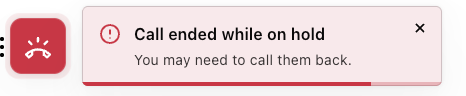
Your administrator chooses which of these are switched on for your team and sets the thresholds that trigger them, so you may not see all of them. Alerts can also appear as a pop-out toast banner if that's been enabled - see [Group Settings](/docs/help/group-settings) for the configuration behind this.
***
### Technology performance Alerts
Agent Copilot can give you a heads-up when there's a technology issue that might affect your calls or softphone - things like a flaky network or a headset that's stopped behaving.
Tap **Read more** on any alert and you'll get step-by-step advice for fixing it yourself.
#### What you might be alerted about
**Your connection and computer**
* **Network performance** - your connection quality has dropped far enough to affect call audio.
* **Computer performance** - your CPU is under sustained heavy load, which can degrade the softphone.
* **Microphone not shared** - your browser doesn't have access to your microphone.
**Your headset**
These alerts need a compatible Jabra headset with the Jabra client software installed. See the [Jabra quick start](/docs/help/jabra-quick-start) if you're not sure whether yours is set up.
* **Not using your Jabra device** - audio is running through a different device than expected.
* **Talking on mute** - you're speaking while muted.
* **Frequent muting** - you've muted several times within a single call.
* **Background noise** - there's excessive noise around you, including cases where you've turned your volume up or muted repeatedly to work around it.
* **Crosstalk** - you and the customer are talking over each other, sometimes caused by high network latency.
* **Audio exposure** - your headset volume has been high enough for long enough to be worth reducing.
* **Battery level** - your headset battery is low, or very low.
Your administrator chooses which of these are switched on for your team and sets the thresholds that trigger them, so you may not see all of them. Alerts can also appear as a pop-out toast banner if that's been enabled - see [Group Settings](/docs/help/group-settings) for the configuration behind this.