What’s not changing..
- The data shown in your dashboards is identical.
- Nothing is being removed and no data will be lost.
- All historical data remains intact and accessible.
What is changing..
- A new Dashboard icon will appear in the toolbar to access the new dashboards.
- In some cases, the new Dashboard icon will replace the existing Canvas icon.
- There are some minor changes to how dashboards are used and filtered (see below)
- There is a change to the way Custom Dashboards are created (see below)
Dashboard Filters
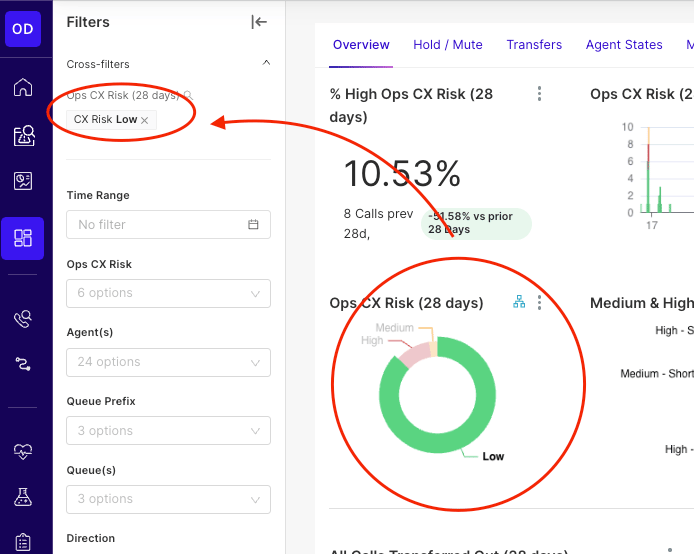
Applying a filter to using the dashboard, adds it to the filter bar. To remove a filter you need to either remove from the filter bar, or re-select the section of the Donut chart used to filter.