
Enabling Heartbeat
Once Orchestrator is up and running, here's how to add Heartbeat..
1. Create the Heartbeat_RP
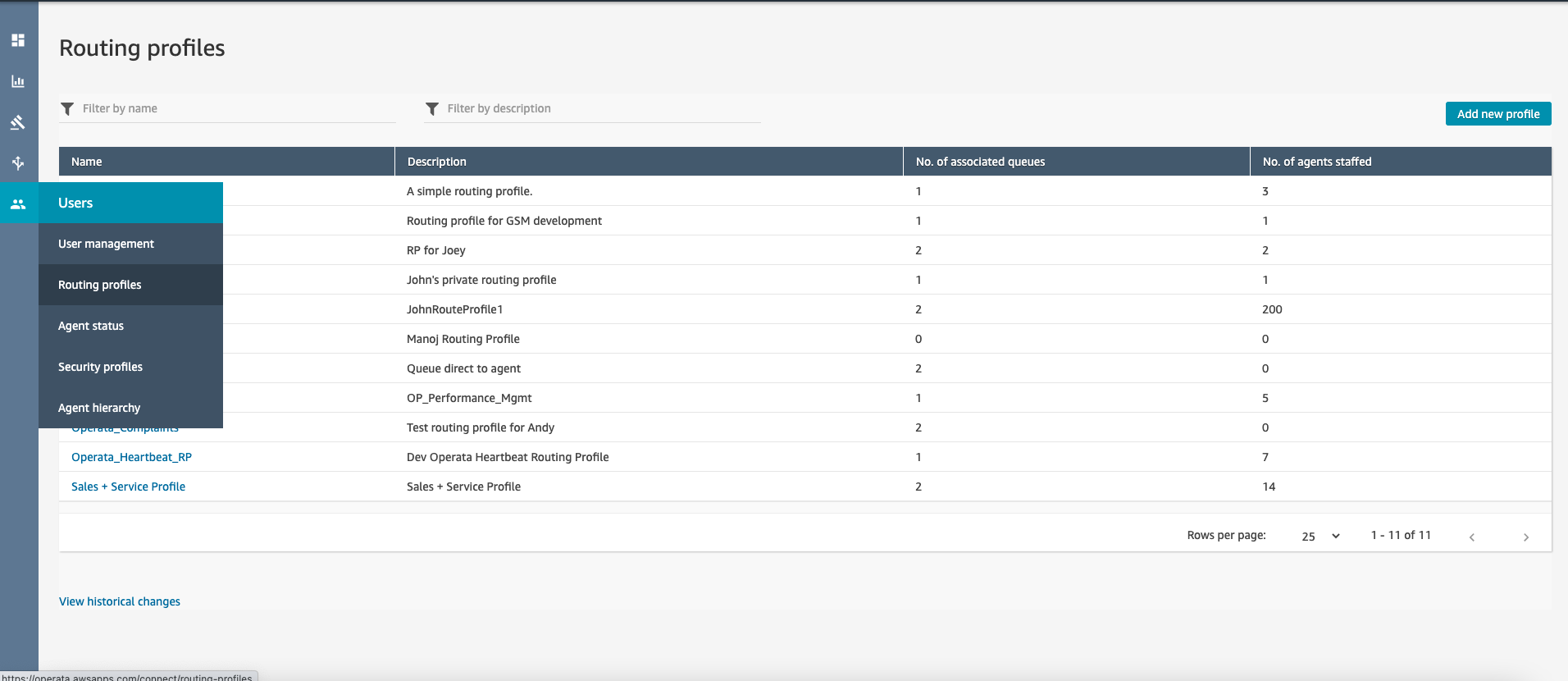
The first step is to create a Heartbeat routing profile
- Navigate to Amazon Connect console (login using emergency access)
- Navigate to Routing Profiles
- Click on Add new profile to create a new routing profile with name Operata_Heartbeat_RP.
- Choose the Voice checkbox.
- Choose any inbound and outbound queue (to enable the agent to make and take a call) and save
2. Add the Heartbeat Lambda function to the Contact Flows
- Navigate to Amazon Connect console (login using emergency access)
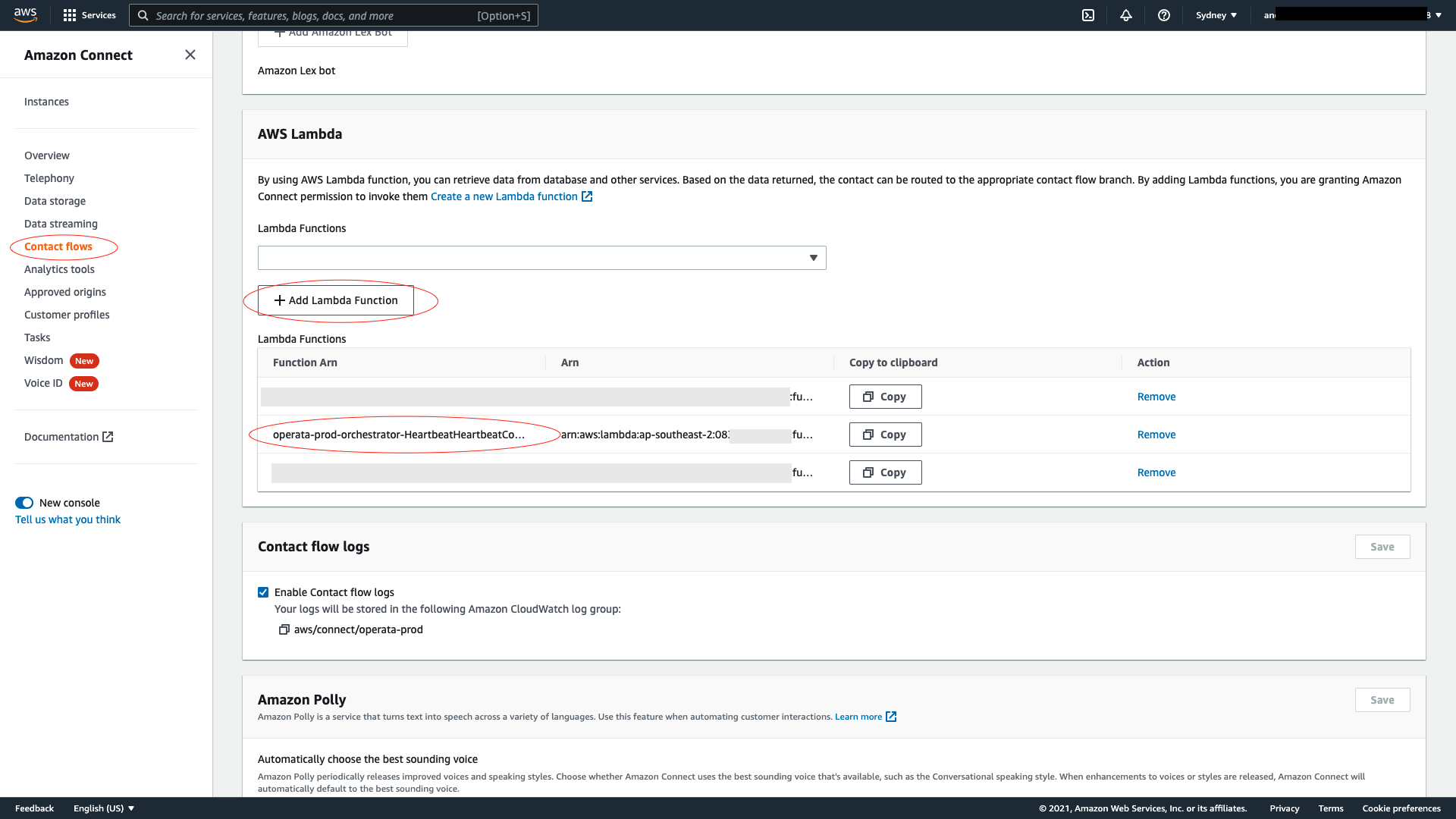
- Navigate to Contact Flows
- Scroll down to the AWS Lambda section
- Use the drop down to find the Lambda created as part of Orchestrator
Note: Lambda function can be found in the Resources tab on the CloudFormation stack) - Select + Add Lambda Function
For Orchestrator to work, it needs a dedicated Operata Heartbeat contact flow, which needs to be associated with the lambda and virtual agent to run the test on, and a phone number to dial - here's how.
3. Add the Heartbeat Contact Flow
Firstly create the Contact Flow
- Download the Contact Flow JSON - HeartbeatContactFlow.json using the URL provided by Operata.
- Follow this guide to create contact flow by importing the JSON:
https://docs.aws.amazon.com/connect/latest/adminguide/contact-flow-import-export.html
4. Configure the Lambda function
Now associate the Contact Flow Lambda created by the CloudFormation stack to the contact-flow you have just created.
- Navigate to Amazon Connect console (login using emergency access)
- Navigate to Amazon Connect instance → Contact flows
- Find and open the contact flow you have just created.
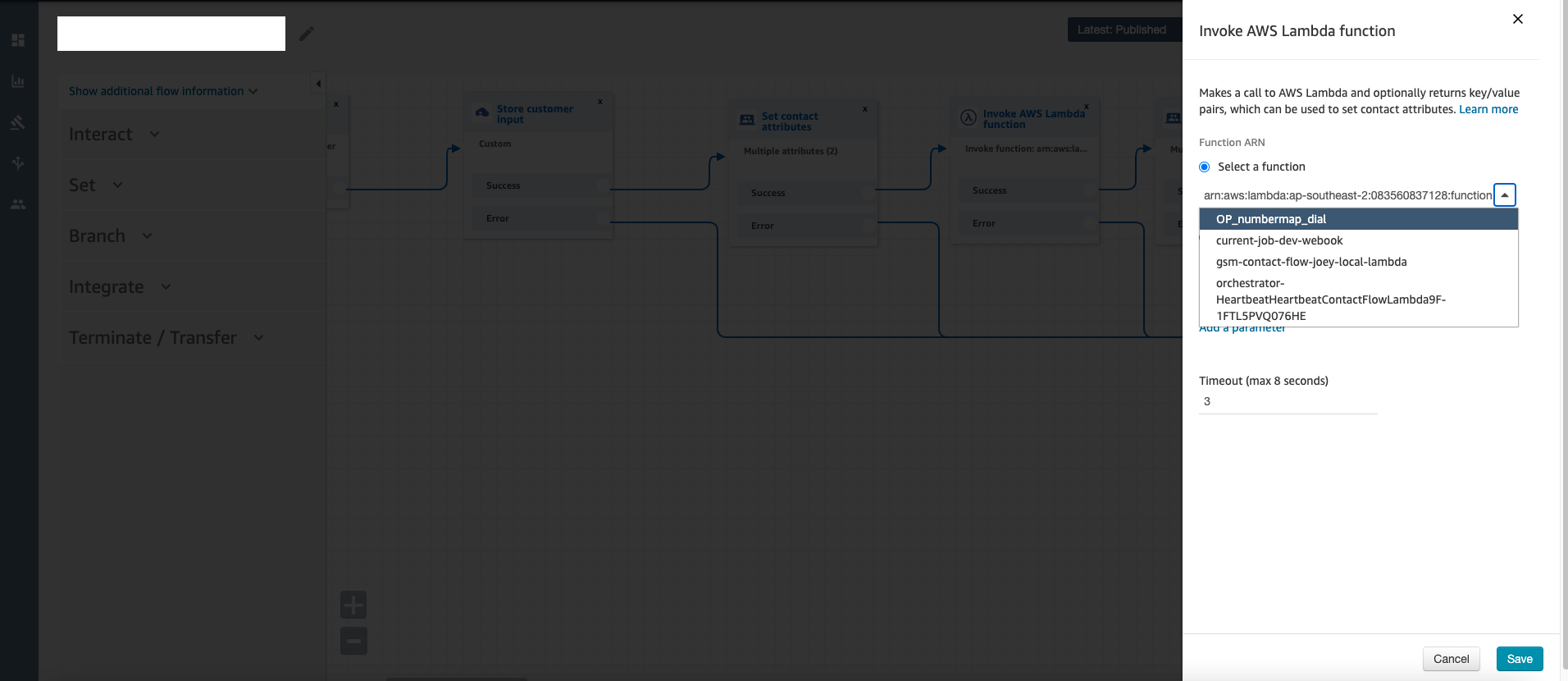
- Select the Invoke AWS Lambda Function block to Invoke AWS Lambda function
- Use the drop-down to select the Heartbeat Lambda and select Save
- Lastly Publish
5. Associate a phone number with the Heartbeat Contact flow
- Navigate to Amazon Connect console (login using emergency access)
- Select the Phone numbers section and either Claim a number and/or Edit phone number to associate the number to the Heartbeat contact flow.
- Then finally Save
- Note: Operata needs to configure this number within the platform, so just let us know what number you are using.
Updated 10 months ago