
Genesys Cloud - Data Privacy Controls
Operata supports data redaction for PII and other sensitive data fields collected from your Genesys Cloud environment.
Operata fetches data from Genesys Cloud using a managed collector service. Redaction rules are applied by this service before data is stored on the Operata platform.
- You control which fields to allow or deny via the Operata redaction config API.
- Operata maintains a mandatory list of fields required for system analysis, which takes precedence to ensure the platform continues to function.
- Your Genesys API credentials are stored securely in Operata's managed infrastructure and used only to collect data on your behalf.
Note: This page covers data privacy controls for the Genesys Cloud integration only.
How Data Collection Works
Operata collects data from Genesys Cloud using a Fetcher Service - an Operata-managed polling service that calls the Genesys Cloud API at regular intervals using your credentials. This is different from the AWS Connect integration, where a Lambda runs inside your own AWS account.
The redaction pipeline runs inside this Fetcher Service. Only the filtered payload is forwarded to the Operata platform.
How Data Privacy Controls Work
Operata applies a tiered redaction framework to all data ingested from Genesys Cloud. Every field in the event payload is assigned to exactly one tier:
- A Mandatory tier is defined and maintained by Operata; it supersedes all others.
- Four customer-configurable tiers - Allow, Deny, Encrypt, and Transform these are mutually exclusive: a field may appear in only one.
- A Default tier handles any fields not covered by the tiers above.
| Tier | What it does | Controlled by |
|---|---|---|
| Mandatory | Key and value transmitted unchanged. Cannot be denied, hashed, encrypted, or redacted. | Operata |
| Allow | Key and value transmitted unchanged. Customer declares which non-mandatory fields to receive. | You (Customer) |
| Deny | Key and value removed entirely. Operata has no knowledge the field exists. | You (Customer) |
| Encrypt | Key retained. Value replaced with a hash or ciphertext. Original value never transmitted. | You (Customer) |
| Transform | Key retained. Value is transformed with a derived/calculated value. | You (Customer) |
| Default | Key retained. All values are nullified. | Default |
Note: Mandatory fields are defined and maintained by Operata. They cannot be overridden via the redaction config API.
Processing Architecture
When the Fetcher Service processes an event, it applies filtering in four passes:
Pass 1 - Mandatory Override Pass
Check whether the field, or any of its descendants, appears in the mandatory list. If a mandatory field sits under a denied parent, retain the parent and prune all non-mandatory siblings. The mandatory list always takes precedence.
Pass 2 - Deny Pass
Evaluate every field path against the deny list. Mark fields for removal.
Pass 3 - Allow / Encrypt / Transform Pass
The remaining filters execute: fields in the allow list are retained unchanged; encrypt fields have their values replaced with a hash or ciphertext; transform fields have their values derived or calculated.
Pass 4 - Default Nullify Pass
All remaining fields outside the above lists have their keys retained but values nullified.
Genesys Cloud API
   ↓ (polled by Operata Fetcher Service)
Operata Fetcher Service (Operata-managed)
   ├─ Pass 1: Mandatory Override (Operata fields always included)
   ├─ Pass 2: Deny Pass (remove marked fields)
   ├─ Pass 3: Allow / Encrypt / Transform (apply rules)
   ├─ Pass 4: Default Nullify (blank anything unclassified)
   ↓ (filtered payload only)
Operata Platform
Prerequisites
Before configuring redaction, you must have completed the Genesys Cloud Integration Installation.
You will also need an Operata API Key to authenticate API calls.
Generate an API Key:
- Log in to the Operata platform.
- Navigate to Group Settings > Integrations > API Management.
- Click Create API Key and copy the value.
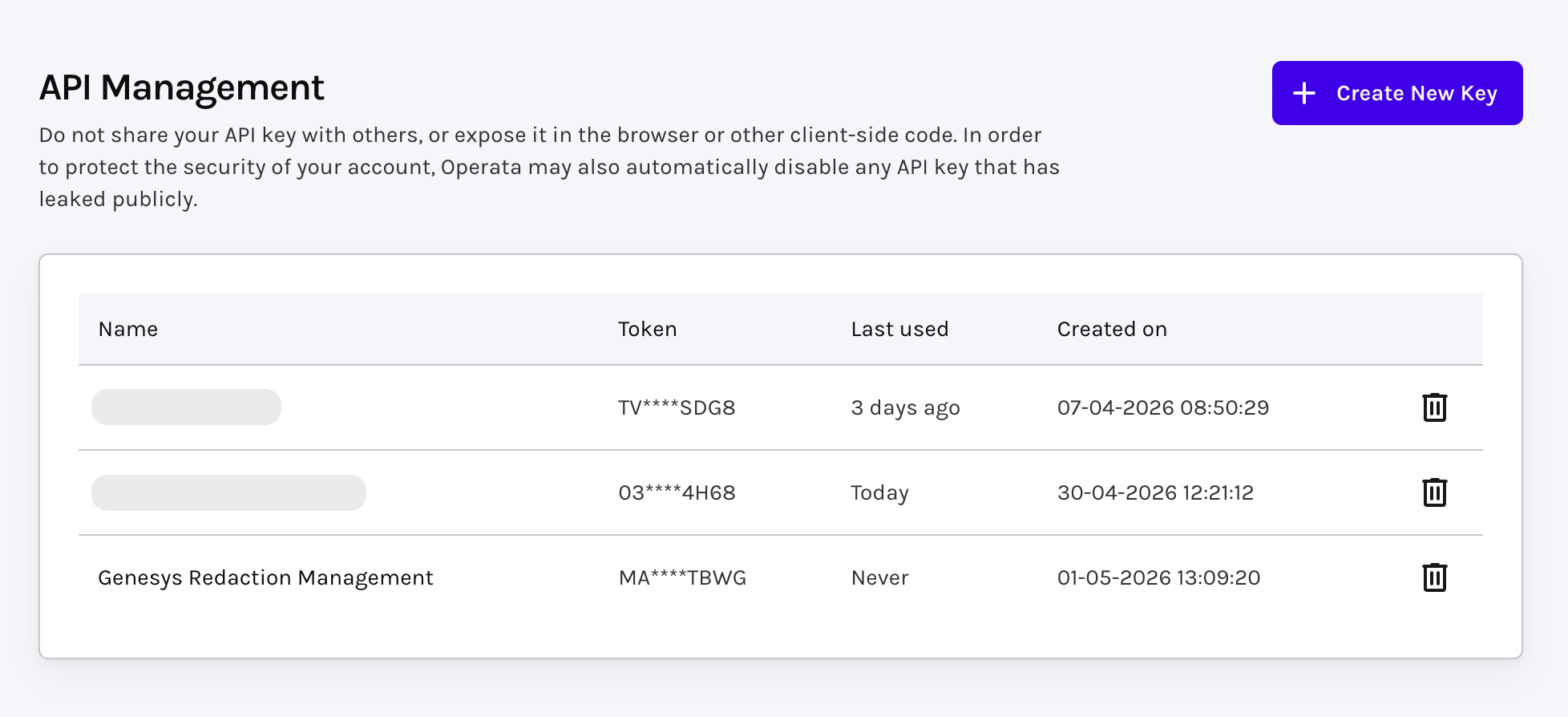
Created a new "Genesys Redaction Management" API Key
Configure Your Redaction Policy
Use the Operata API to define which Genesys data fields to allow, deny, encrypt, or transform.
- Each POST creates a new version of the policy. The latest version is always used. There is no rollback - if you need to revert, POST the previous ruleset again.
- The API will return a 400 if any rule targets a mandatory field. Mandatory fields cannot be denied, encrypted, or transformed.
- Policy changes take effect from the next fetch cycle. There is no impact on data already collected.
Get current policy
GET /v1/config/source/genesys/gcd/redaction
- Returns the full policy document including all tiers (
MANDATORY,ALLOW,DENY,ENCRYPT,TRANSFORM).
Set policy
POST /v1/config/source/genesys/gcd/redaction
Example - deny specific fields
{
  "rules": [
    { "type": "DENY", "field": "customerPhone" },
    { "type": "DENY", "field": "agentEmail" }
  ]
}
Example - allowlist specific fields:
{
  "rules": [
    { "type": "ALLOW", "field": "callDuration" },
    { "type": "ALLOW", "field": "queueName" }
  ]
}
Example - encrypt a field:
{
  "rules": [
    { "type": "ENCRYPT", "field": "customerPhone" }
  ]
}
Example - multiple types
{
  "rules": [
    { "type": "DENY",      "field": "customerPhone" },
    { "type": "DENY",      "field": "agentEmail" },
    { "type": "ALLOW",     "field": "callDuration" },
    { "type": "ALLOW",     "field": "queueName" },
    { "type": "ENCRYPT",   "field": "customerId" }
  ]
}Note: Posting a new policy replaces the previous one in full. Always include all rules you want active - omitting a rule removes it.
Path Notation
Field paths use dot-notation to identify fields within the JSON payload.
- A top-level key such as
conversationmatches the entire object at that key. - A nested path such as
conversation.participants.namematches only that specific subfield.
The processor applies rules at every depth level consistently.
Parent key behaviour:
- When a deny list entry targets a parent key and no mandatory field references any child of that parent, the processor removes the entire parent key - the result is not an empty object, the key is absent from the output entirely.
- When a mandatory field is a child of a denied parent, the processor retains the parent containing only those mandatory children.
Policy Caching and Fallback
The Fetcher Service retrieves your redaction policy from the Operata Config API and caches it for 30 minutes. If the API is unreachable or returns an invalid policy, the service falls back to the last valid policy saved in Operata's secure storage.
| Condition | Cached? | Fallback to stored policy? |
|---|---|---|
| 200 OK + valid policy | Yes (30 mins) | No |
| 200 OK + empty/invalid | No | Yes |
| 404 Not Found | Yes | Yes |
| 5xx Server Error | No | Yes |
| Network Error | No | Yes |
If no valid policy exists in either location, the batch is marked as failed until a valid config is available.
Mandatory Fields for Genesys Cloud
The List of Mandatory fields are provided here and are hardcoded. The processor always preserves them regardless of deny list configuration.
Updated 2 months ago